Remote Access. Simplified.
No Complex VPNs or Router Settings.
IPPortal bridges your local Wi-Fi or Ethernet network to the web. Deploying it is incredibly easy: just plug the gateway into a POE (Power over Ethernet) supply, and configure your settings via a local web interface. Enjoy seamless connectivity without setting up complex client configurations.
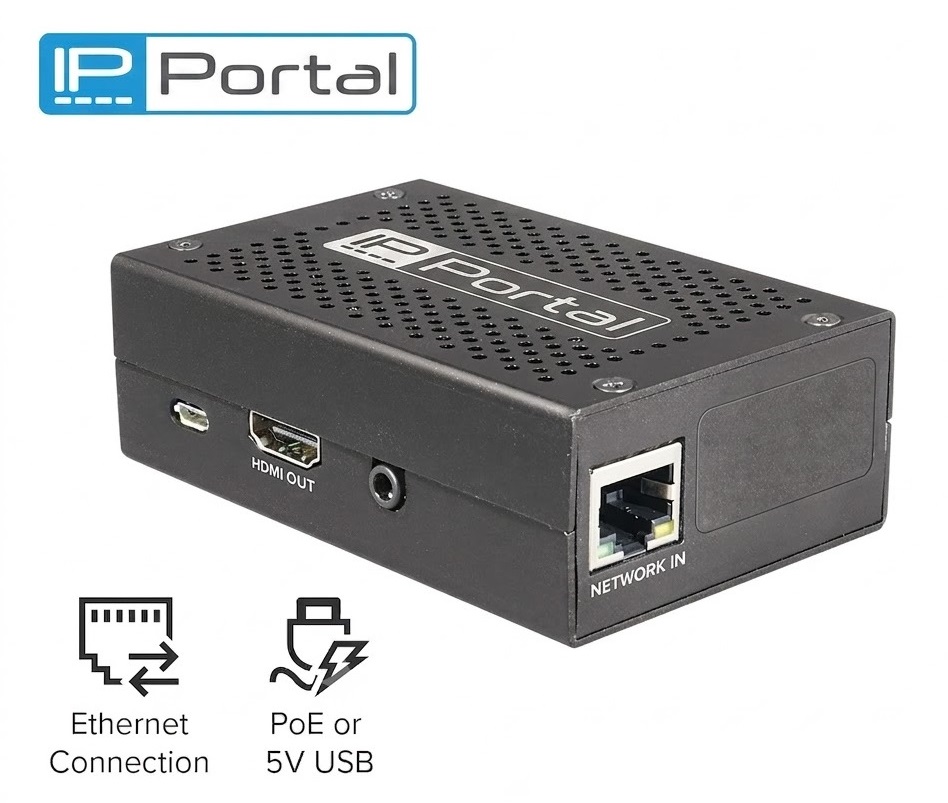
Designed for Challenging Subnets
IPPortal was originally designed for CCTV viewing via RTSP streams on sites where port forwarding was not allowed or possible. Today, it bridges a variety of network endpoints.
No Port Forwarding
Never punch holes in your router's firewall. Mappings are established without configuring inbound rules.
No DDNS Needed
Bypass complex dynamic DNS setups. Mapped endpoints are exposed via stable, designated ports.
Outbound Firewall Friendly
Works behind domestic and small business grade routers that typically allow outbound access but block all inbound connections.
CGNAT Compatible
Fully suitable for most 4G/5G CGNAT mobile internet providers where incoming links are normally blocked.
Simplified Connection Flow
IPPortal creates a temporary outgoing bridge from your local network to a public relay. No external client connects to your IP devices directly.
1. IPPortal captures local TCP/UDP/HTTP data
2. Outgoing tunnel avoids open incoming router ports
3. Access consoles and streams directly in browser
Supported Use Cases
RTSP Remote Viewing:
- Alien MegaHero 8 channel DVR, viewed by “Alien Desktop Widget”
- Hikvision NVR, viewed by “Desktop Widget - RTSP Edition”
Other Network Protocols & Control Links:
- Hikvision DS-7616NI-K2 16 channel NVR, accessed via IVMS4200 V2.8.2.2_EN.Our IPPortal is capable of remapping RTSP traffic, thus supporting IVMS' single-port configuration (typically only port 8000 is specified).
- System Q's Ethernet relay (REL019) controlled by its setup, test & trigger tool.
Compatibility Exclusions & Notes
While IPPortal supports a wide variety of TCP and UDP protocol mappings, it does not support all network devices. The following devices are explicitly unsupported:
- Windows PCs accessed via Remote Desktop (RDP)
- TVT cameras for live browser viewing because the browser plug-in is not detected. Similarly, Uniview and Hikvision devices requiring browser-side plug-ins for web-based live view are unsupported.
- IP speakers
Remote Access Connectivity Matrix
Compare IPPortal with standard router and virtual private networking protocols.
| Feature / Criteria | Port Forwarding | Standard VPN | Third-Party Cloud | IPPortal Gateway |
|---|---|---|---|---|
| Local LAN Firewall Protection | ❌ Exposes Ports (Vulnerable to Scanner Bots) | ✅ Closed Ports | ✅ Closed Ports | 🏆 Closed Ports (Outbound Bridge Only) |
| TCP & UDP Routing Native Support | ✅ Yes (requires port mapping per protocol) | ✅ Yes (full layer routing) | ❌ No (Camera video streams only) | 🏆 Yes (Maps raw TCP + UDP ports natively) |
| Client Device Configuration | ⚠️ Complex (Dynamic DNS, Router Admin) | ❌ Painful (App installation, certificates) | ✅ Easy (App download) | 🏆 Instant (Standard Browser Native) |
| Premises WAN & LAN Isolation | ❌ Exposes premises IP (direct entry into LAN) | ✅ Closed (Encrypted private tunnel) | ✅ Closed (Intermediated by cloud) | 🏆 Real WAN IP hidden (Zero inbound router holes) |
| Video & Data Stream Privacy | ✅ Direct access (No third-party storage) | ✅ Private Tunnel | ❌ Passes through corporate servers | 🏆 Zero Cloud Storage (Direct pass-through relay) |
| Wi-Fi & Ethernet Bridging | ✅ Yes | ✅ Yes | ⚠️ Depends on device firmware | 🏆 Plug & Play on both Wi-Fi and Ethernet |
| Subscription Fees | ✅ None | ⚠️ Product Dependent | ❌ Monthly SaaS Pricing per device | 🏆 Free For six Months |
Fair Usage Policy
IPPortal is intended for occasional use allowing you to remotely access networked devices, it is not intended for continuous use or video streaming and as such we have a fair usage policy of 20GB per portal per calendar month.
Service Guarantee
IPPortal is not intended for service-critical devices whereby personal health or safety may be put at risk. We use shared servers for IPPortal and whilst our service provider has a good track record with regards to up-time they do not offer a 100% guaranteed service. With this in mind, we offer a similar service.
Common Questions
Everything you need to know about the IPPortal Remote Gateway.